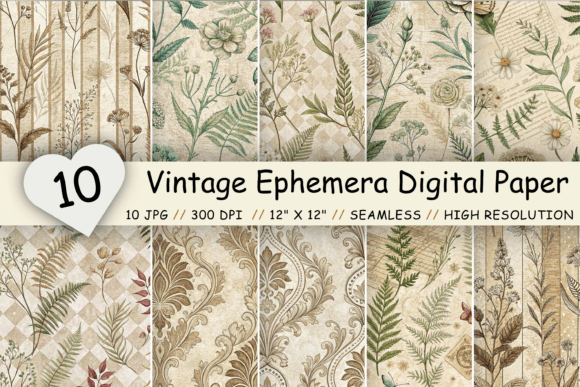
Unlocking Creativity with a Vintage Ephemera Digital Paper Pack
There is a distinct charm in the texture of aged paper, the soft fade of antique florals, and the nostalgic feel of vintage ephemera. For creators, these elements are more than just background images; they are the foundation of storytelling in scrapbooks, junk journals, and digital invitations. However, diving into the world of digital downloads can sometimes lead to frustration if you do not know exactly what to look for. A Vintage Ephemera Digital Paper Pack offers a shortcut to this aesthetic, but only if you understand how to evaluate quality and usability before you download.
Many enthusiasts, from hobbyists making birthday cards to professionals designing client branding, often overlook critical technical details. They focus solely on the visual appeal of the thumbnail image, ignoring the specifications that determine whether the file will print beautifully or pixelate on screen. By understanding common pitfalls, you can ensure your creative projects maintain a high standard of professionalism and artistry.
The Trap of Low Resolution and Pixelation
One of the most frequent mistakes buyers make is assuming all digital papers are created equal regarding resolution. You might find a pack that looks stunning in a small preview image, only to discover upon downloading that it is useless for printing. This happens when files are saved at 72 DPI (dots per inch), which is standard for web browsing but disastrous for physical crafts.
When you attempt to print a low-resolution image on a standard letter or A4 sheet, the result is often blurry, jagged edges, and a loss of fine detail. The delicate lines of an antique floral pattern become muddy, and the "vintage" look turns into a "low-quality" look. This not only wastes ink and paper but also ruins the presentation of your final product, whether it is a wedding invitation or a scrapbook page meant to last generations.
To avoid this, always check the technical specifications before purchasing. A high-quality Vintage Ephemera Digital Paper Pack should explicitly state that the files are 300 DPI. Furthermore, verify the pixel dimensions. For standard crafting, each file should be at least 3600 x 3600 pixels, which corresponds to a 12 x 12-inch print size at full resolution. This ensures that even if you need to scale the image slightly or print it border-to-border, the clarity remains crisp and professional.
Misunderstanding Seamless Patterns
Another area where confusion often arises is the concept of seamless patterns. Many beginners purchase static images thinking they can simply tile them across a large background, only to find visible seams or breaks where the images meet. This interrupts the visual flow and makes the design look amateurish.
A true seamless pattern, also known as a repeating pattern, is engineered so that the edges match perfectly when replicated infinitely. There are no discernible breaks or interruptions. This is crucial for projects like wrapping paper, fabric printing, or large website backgrounds where the design needs to cover an area larger than a single sheet of paper.
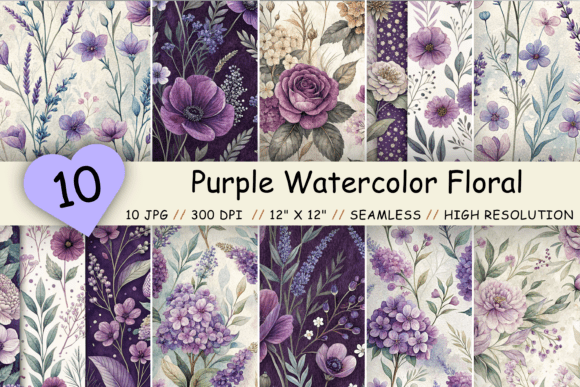
If you are using these papers for a junk journal or a digital layout, understanding this distinction saves you hours of editing time. Instead of manually trying to clone-stamp edges to hide seams, a properly constructed seamless file allows you to fill any canvas size instantly. When evaluating a pack, look for sample images that demonstrate the pattern tiled multiple times. If the vendor does not show a tiled preview, proceed with caution or ask for clarification. High-quality packs, such as those featuring Antique Floral Seamless Patterns, will showcase this repeatability clearly.
File Format and Compatibility Oversights
It is easy to assume that a "digital paper" file will open in any software you use, but file format matters significantly for your workflow. Some users download files expecting editable layers, only to find flat images. While layered files (like PSDs) have their place, for most crafting purposes, high-quality JPG files are actually superior due to their universal compatibility and smaller file sizes.
The mistake here isn't the format itself, but the expectation mismatch. If you plan to use these papers in software like Procreate, Canva, Microsoft Word, or standard home printers, JPG is ideal. However, if you intend to do heavy color correction or composite work, you might prefer PNGs with transparency (though solid paper backgrounds rarely need transparency). The key is to ensure the pack you choose delivers the format suited to your tools.
For instance, a well-curated pack containing 10 JPG files in a single zipped folder provides immediate usability. You can unzip the file and drag-and-drop directly into your project without conversion hassles. Always ensure the download includes a clear instruction sheet or readme file that explains how to unzip the archive, as this is a common stumbling block for less tech-savvy creators.
Licensing and Commercial Use Confusion
Perhaps the most critical oversight involves licensing. Many crafters and small business owners inadvertently violate terms of use by selling products made with digital papers they assumed were free for commercial use. Conversely, some avoid buying useful packs because they incorrectly believe they cannot use them for client work at all.
Using a Vintage Ephemera Digital Paper Pack for personal projects like family scrapbooks is almost always permitted. However, if you are an entrepreneur selling handmade greeting cards, printable planners, or digital templates, you must verify the license. Does the creator allow "small commercial use"? Is there a limit on the number of physical items you can sell? Are you allowed to resell the digital files themselves (usually the answer is no)?
Ignoring these details can lead to copyright strikes, removed listings on marketplaces like Etsy, or legal issues. The better approach is to read the "Terms of Use" included in the zip file before you start designing. Reputable creators make this information clear. If it is missing, reach out to the seller. Protecting your business means respecting the intellectual property of the artists who create the resources you rely on.
Maximizing Versatility in Your Projects
Finally, a common limitation is underutilizing the versatility of these assets. Buyers often pigeonhole vintage floral papers into just one type of project, such as traditional scrapbooking. In reality, these high-resolution backgrounds are incredibly flexible.
Consider using these textures for:
- Digital Marketing: Create eye-catching social media posts or blog headers with a unique, non-generic aesthetic.
- Educational Materials: Teachers can use these patterns to create engaging worksheets or classroom decor that feels warm and inviting.
- Event Stationery: Beyond birthdays, these papers work beautifully for vintage-themed weddings, baby showers, and anniversary invitations.
- Product Mockups: Entrepreneurs can use them as backgrounds to showcase products in a lifestyle setting.
The key is to view the Vintage Ephemera Digital Paper Pack not just as "paper," but as a versatile design element. Whether you are layering them with typography, blending them with photos, or using them as a standalone backdrop, the potential is limited only by your imagination.
By paying attention to resolution, understanding seamless mechanics, verifying file formats, respecting licenses, and exploring diverse applications, you transform a simple download into a powerful tool for your creative arsenal. Stay updated with new releases, follow creators whose style resonates with you, and always prioritize quality over quantity. With the right resources and knowledge, your next project will not just look good—it will stand the test of time.